
Copy your code
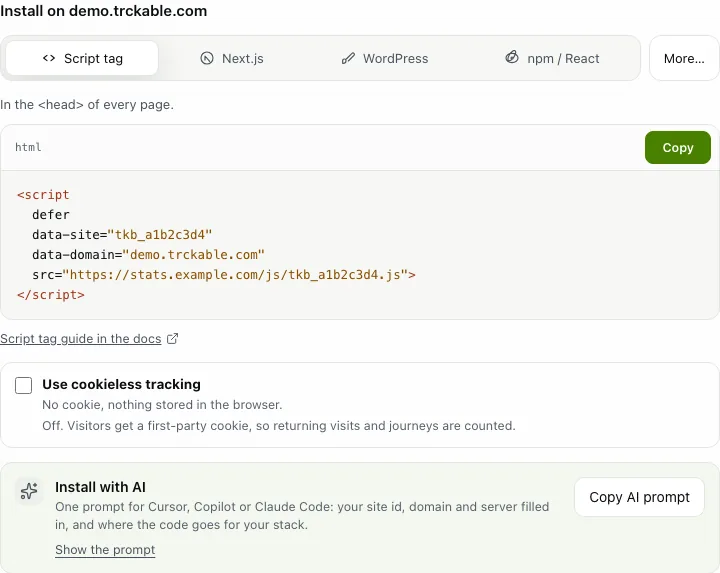
Add your site in the dashboard and it shows the code at once, with your site's id already in it. Later you find it again in Settings → Install (the tab is called Verify once the first visit has arrived: open it and choose Show the code again).
Put it on your pages
Plain HTML. Paste the tag in the <head> of every page, or anywhere in <body>. defer means it never delays your page. On Cloud the address is cloud.trckable.com; on your own server it is your server's address.
<script
  defer
  data-site="tkb_a1b2c3d4"
  data-domain="example.com"
  src="https://cloud.trckable.com/js/tkb_a1b2c3d4.js">
</script>
A React app (Vite, React Router, Remix). Install the package and render the component once, anywhere in your app. It counts route changes by itself.
// npm i trckable
import { Analytics } from 'trckable/react'

<Analytics site="tkb_a1b2c3d4" host="https://cloud.trckable.com" />
Next.js. Install the package, add the component to app/layout.tsx, and add one route so events go through your own domain:
import { Analytics } from 'trckable/next'

<Analytics site="tkb_a1b2c3d4" />
// app/api/e/route.ts
export { POST } from 'trckable/next'Then set TRCKABLE_HOST and TRCKABLE_PROXY_KEY in your .env. The Next.js tab of the Install panel shows all four steps with your own values filled in.
WordPress. The easiest way is a header-scripts plugin such as WPCode, with the script tag above. Or paste this into the functions.php of a child theme, so a theme update cannot overwrite it:
<?php // functions.php of your child theme
add_action('wp_head', function () { ?>
  <script
    defer
    data-site="tkb_a1b2c3d4"
    data-domain="example.com"
    src="https://cloud.trckable.com/js/tkb_a1b2c3d4.js">
  </script>
<?php });
Other platforms (Shopify, Webflow, Ghost and more) are in the Install panel's More… menu, and in the install docs.
Check that it works
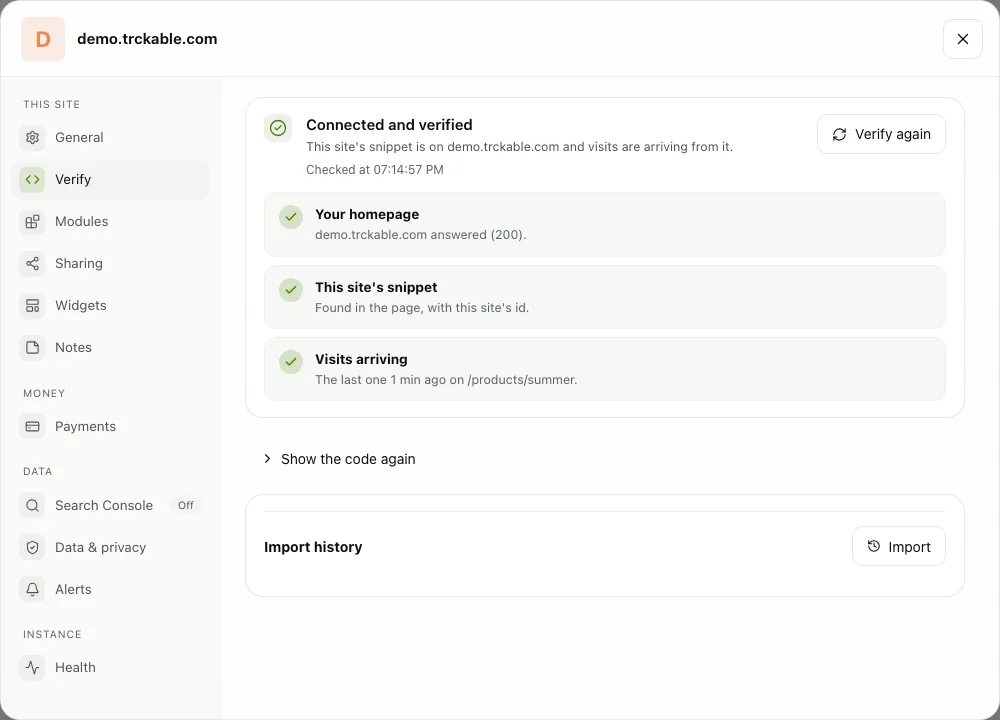
Open Settings → Verify and look at the check. trckable fetches your homepage, looks for your site's id in the page and the scripts it loads, and asks for the latest visit it recorded. When all three lines are ticked it says Connected and verified. Press Verify again after you fix something.
Watch it arrive
Open your site in another tab, then switch to Live. You are in the list of people on the site right now, with the page you are on, where you came from and your country.
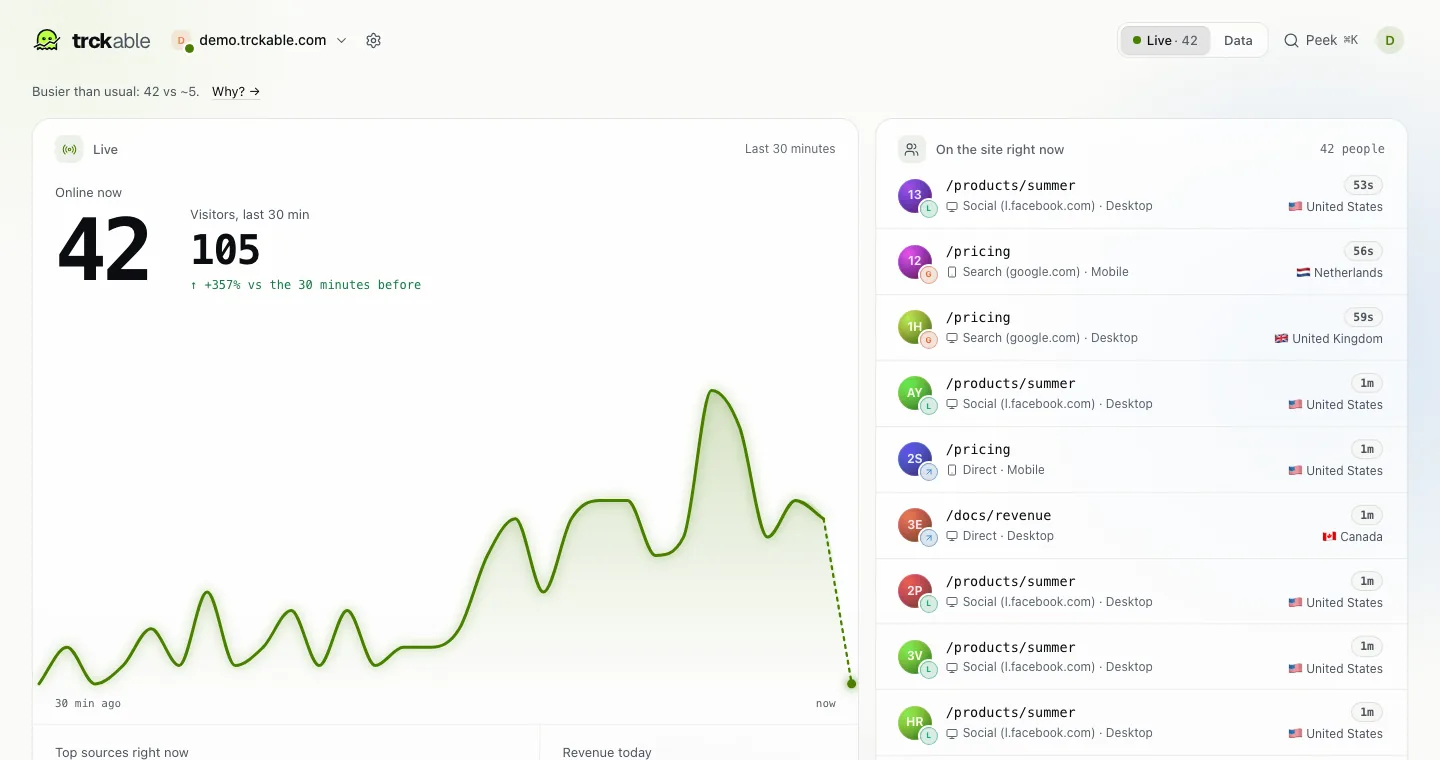
Nothing there after a minute? Check that an ad blocker is not hiding the script on your own browser, then press Verify again.
The newsletter
Notes on measuring what matters.
Occasional emails from Albi: new posts, one chart worth reading, what changed in trckable.
We send one email to confirm your address, and nothing more until you confirm. Every newsletter has a link to leave. What we keep, and who sends it: privacy.