Open Live
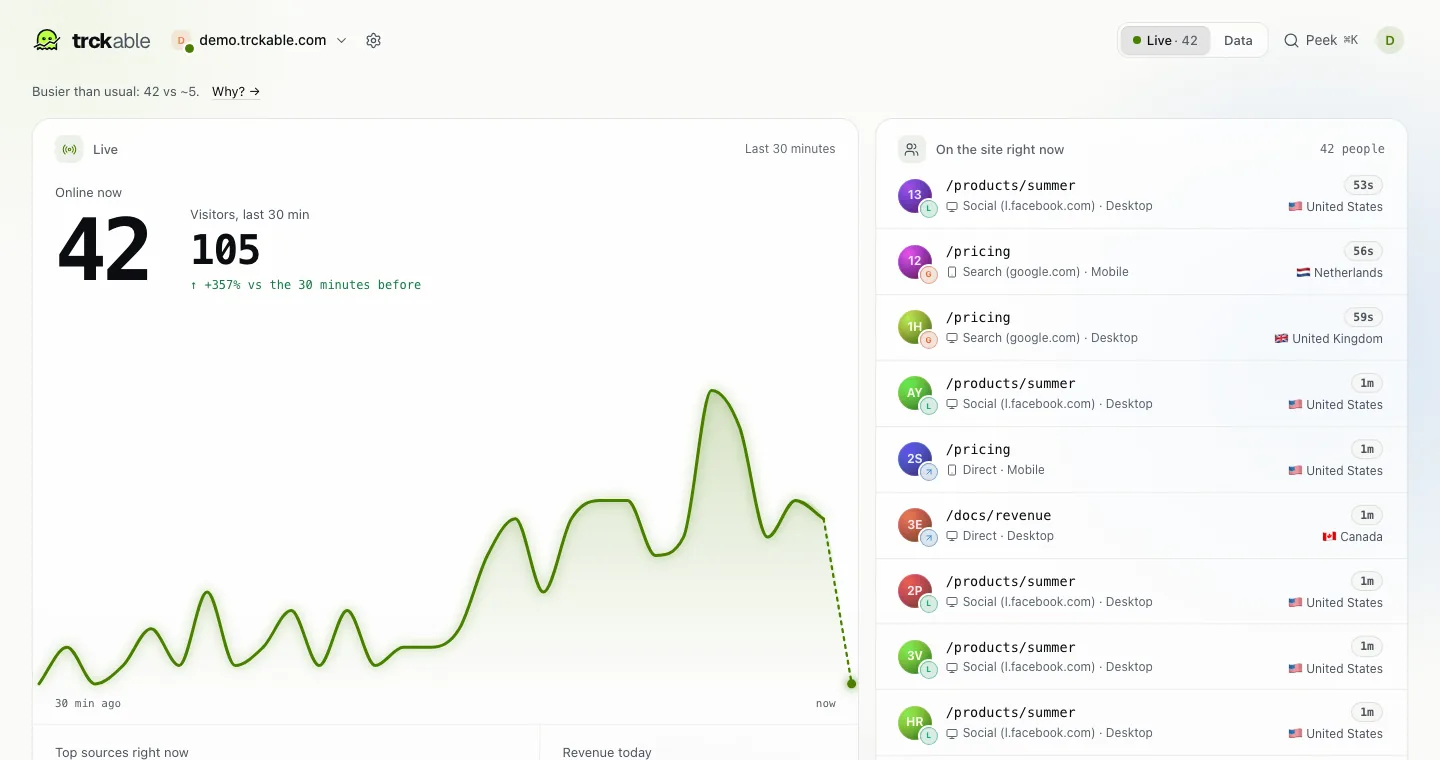
The switch at the top right of the dashboard has two sides, Live and Data. Live shows what is happening right now: Today so far, Top sources right now, Revenue today, Top pages right now, Where they’re from, and under On the site right now one row for each person with the page they are on, where they came from, their device and their country.
Know the busy card
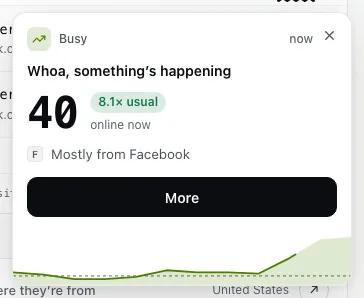
When the site is far busier than usual, a card slides in on Live and Data: Whoa, something’s happening. It shows how many people are online now, a chip such as 8.1× usual, and the source that sent most of them ("Mostly from Facebook"). The rule is the one the Traffic surge alert states: at least one and a half times as busy as usual, and at least 10 more people.
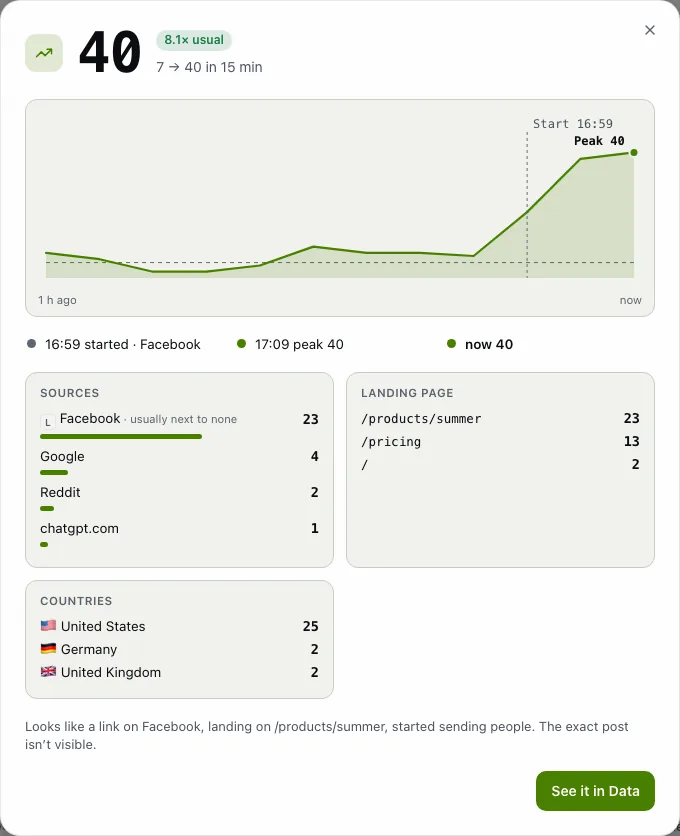
Click More for the story of the moment: how the last hour climbed, and the sources, landing page, countries and devices behind it. See it in Data filters the dashboard to the source that sent them. If you have not turned on browser notices yet, Get notified next time offers to.
Choose your notices in this browser
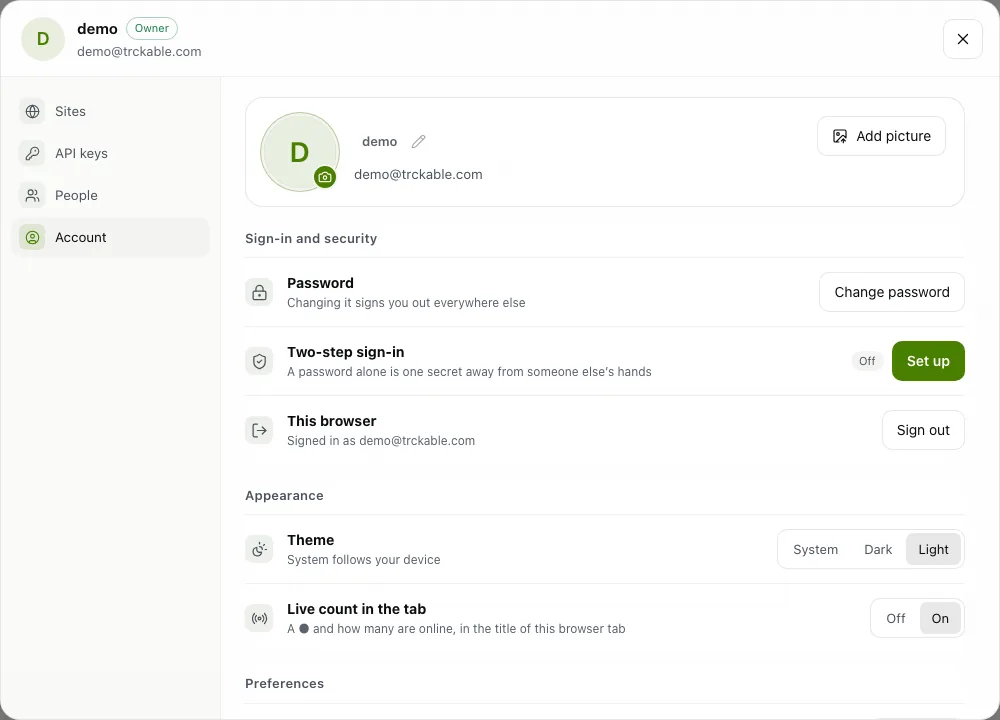
Click your picture at the top right, choose Profile, then the Account tab. Under Appearance, Live count in the tab puts a dot and the number of people online in the title of this browser tab. Under Preferences, Sale sound plays a short chime when a payment arrives, and Browser notices tells you about a first sale from a new source, a surge, a spike or tracking stopping. Notices come only while a trckable tab is open, and your browser asks for permission when you turn them on.
Send alerts to where you are
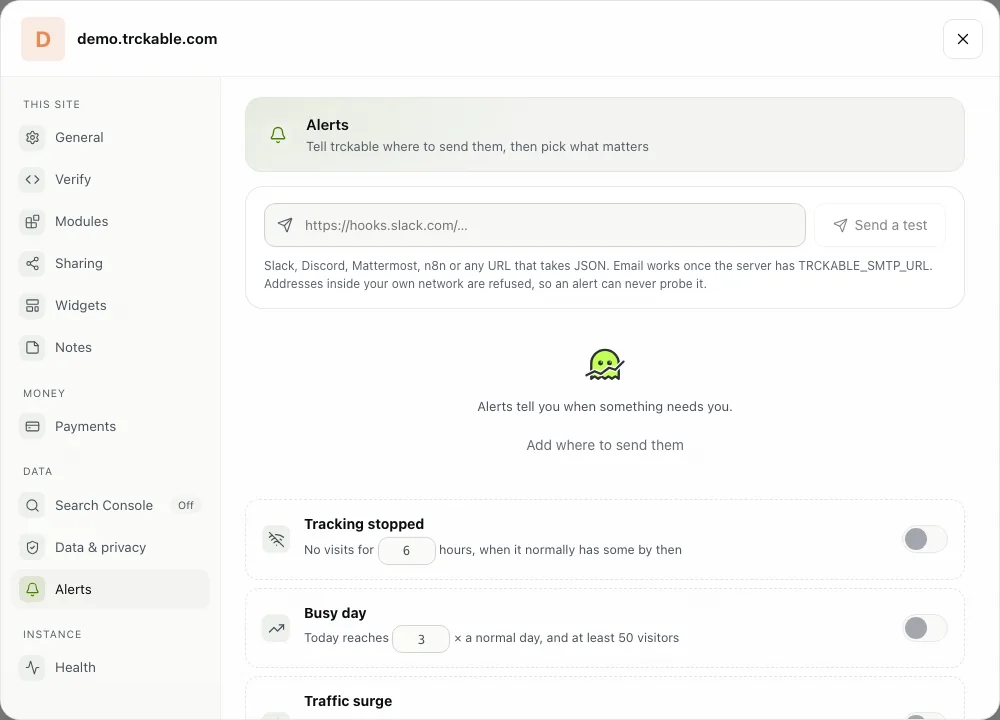
To hear about your site when no tab is open, open Settings → Alerts. Click Add where to send them and give trckable a Slack, Discord or Mattermost webhook, an n8n webhook, any URL that takes JSON, or an email address (a server you run yourself needs email set up first). Send a test shows whether it arrived.
Then switch on what matters: Tracking stopped, Busy day, Traffic surge (at most one message every three hours, naming who sent the people), Someone paid, Disk filling up, Weekly report and Milestone reached. Alerts are checked every ten minutes, and after one is sent the same alert stays quiet for six hours. Every alert email ends with a link that stops that one alert.
On Cloud, the bell next to your picture is separate from these alerts: it holds invitations and notices about your plan, and the email for each of them still goes out. See Notifications in the docs.
The newsletter
Notes on measuring what matters.
Occasional emails from Albi: new posts, one chart worth reading, what changed in trckable.
We send one email to confirm your address, and nothing more until you confirm. Every newsletter has a link to leave. What we keep, and who sends it: privacy.